Employee time tracking
Record clock-in, clock-out, breaks and idle time. Review timesheets and working hours from one workspace.
Empower distributed teams with transparent timesheets, smart blur screenshot protection, automated idle detection, and algorithmic productivity scoring.
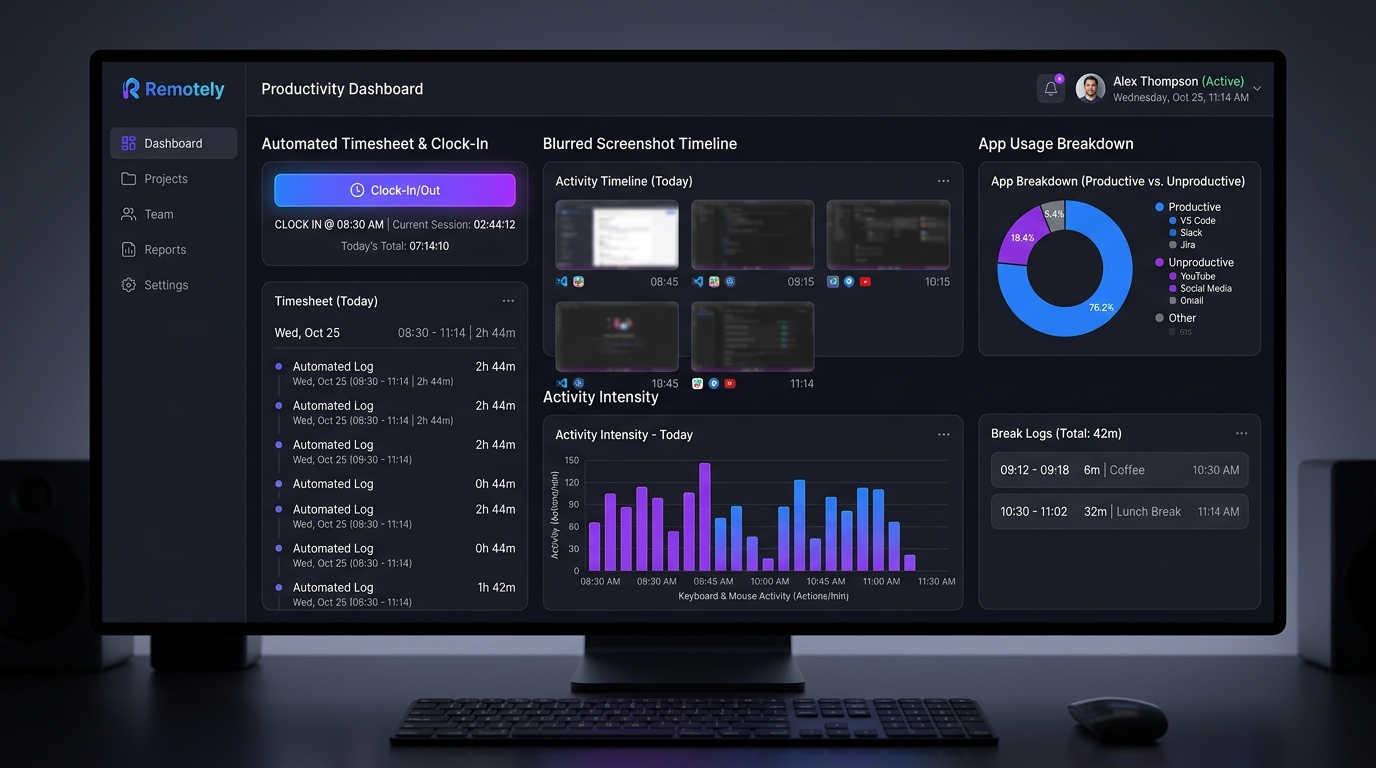
Employees clock in with project task selectors. The desktop app tracks active minutes, breaks, and idle events automatically into exportable timesheet dossiers.
Periodic screenshots taken at randomized intervals. Tenant-configurable blur settings protect employee privacy while providing proof of work.
Categorize applications and websites into Productive, Unproductive, or Neutral. Generate executive time utilization scorecards across teams.
Algorithmic pattern detection flags hardware and software mouse-jigglers, fake keep-active scripts, and repetitive zero-input movements with automatic risk scores.
Desk Track is Manriq’s employee tracking product for work-from-home, remote and hybrid teams. Employees use the desktop app; managers review attendance, timesheets and work activity in their company workspace.
For remote teams, hybrid offices, agencies, support teams and managers who need clear working-time records.
Record clock-in, clock-out, breaks and idle time. Review timesheets and working hours from one workspace.
Connect desktop attendance with employee records and permission-based review workflows.
Review configurable screenshots, app and website usage, and activity counts. Tracking controls and visibility depend on company settings and permissions.
Organize projects and tasks and use work reports to understand recorded time and progress.
Use the desktop app on Windows, macOS or Linux. Recorded offline activity syncs when connectivity returns.
Assign module access and reporting permissions through the existing manager and employee hierarchy.
Desk Track is Manriq’s WFH employee tracking and desktop time-tracking product for remote and hybrid teams.
Employees use the desktop app on Windows, macOS or Linux. Managers use the web workspace to review team data.
The desktop app queues recorded tracking activity locally and syncs it when the connection is available. Device permissions and company tracking settings still apply.
Activity tracking uses keyboard and mouse counts for activity levels, not the content of typed keystrokes. Screenshot and activity settings are controlled by your company.
Desk Track focuses on desktop work and remote-team time tracking. Way Track focuses on mobile attendance, GPS routes and client visits for field teams.
We use cookies to improve your experience. By using this site, you agree to our use of cookies.
how can i help you
See how Manriq empowers Way Track (Field) & Desk Track (Remote) teams in 15 mins.